
SwiftCast™
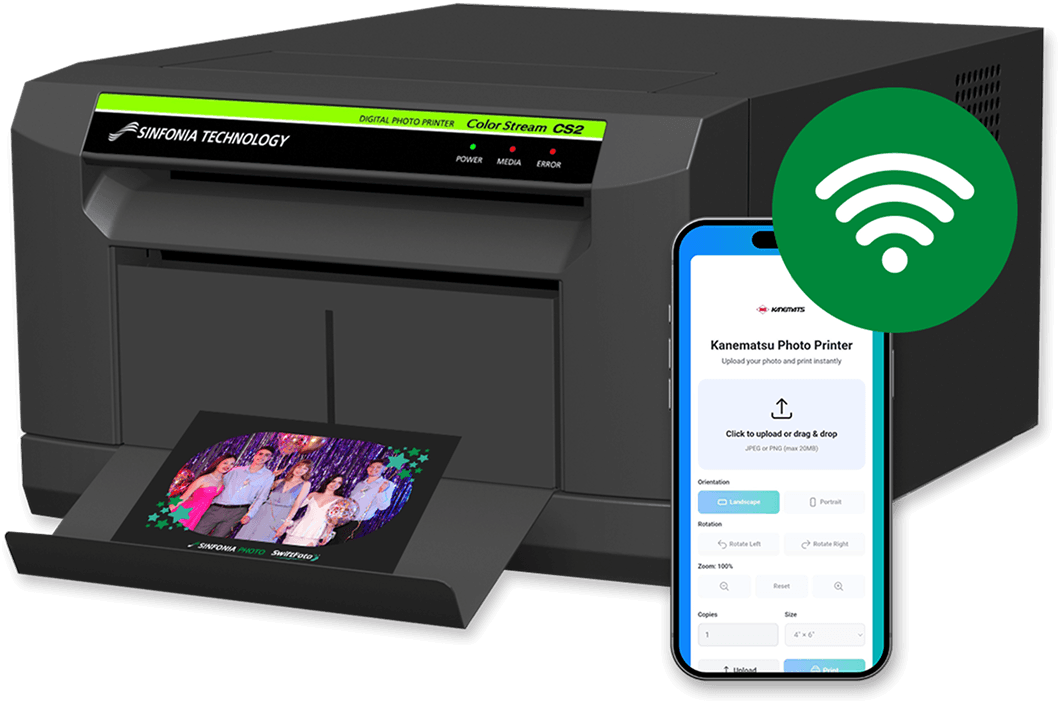
Wireless Print ModulePlug it in. Connect your guests. Print instantly. SwiftCast™ turns any compatible Sinfonia printer into a wireless print station, with no app downloads or internet required.
*Available through select resellers
Three Steps to Wireless Printing
SwiftCast™ runs entirely on a local network — no cloud, no app store, no complexity. Guests print from the browser on any device.
Connect to WiFi Hotspot
Connect to WiFi Hotspot
Connect your phone, tablet, or computer to the dedicated SwiftCast™ wireless hotspot.
Open the Local URL
Open the Local URL
Launch your web browser and enter the local URL, or simply scan the QR code to access the print portal.
Select Image and Print
Select Image and Print
Choose your photo, preview your print, and send it to the printer—all in just a few taps.
Built for Events
SwiftCast™ offers fast, reliable, zero-friction wireless printing for events, photo booths, and retail environments.


Fast Local Printing
All processing happens on-device. With no internet dependency, jobs go from tap to print without lag or network bottlenecks.


Works on Any Device
iOS, Android, Windows, and macOS are all supported through a standard web browser. No app to download, ever.


Custom Branding
Organizers upload their own logo, choose a color theme, and select from Classic or Compact view for the guest-facing interface.


Photo Templates
Pre-load frames and templates that guests can apply at print time. Great for branded events, weddings, or corporate activations.


Multiple Print Sizes
Guests can select from available print sizes and adjust orientation and rotation before confirming their print job.


No Photo Storage
SwiftCast™ doesn't store or transmit guest photos. Images go straight to the printer with no cloud, privacy concerns, or data liability.


Activity Logging
Admins can review a print activity log directly in the portal, which is useful for troubleshooting or event reporting.


Auto Printer Discovery
SwiftCast™ automatically detects the connected printer so operators spend no time configuring IP addresses or drivers.


Print Queue Display
Guests see their job status in real time, reducing repeat taps and duplicate print submissions at busy events.
The Admin Portal
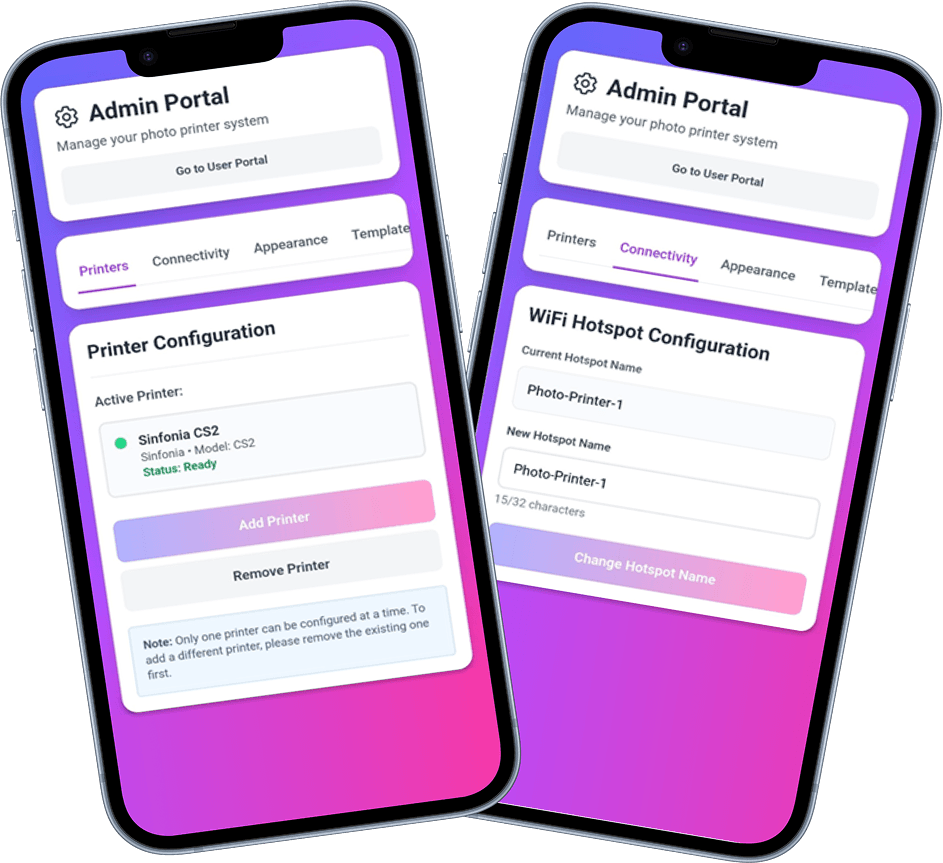
A password-protected organizer portal gives event operators full control over branding, layout, and printer settings without touching a single config file.
- Logo & Company Name
- Classic or Compact View
- Background Color Theme
- Template Control
- QR Code Generator
- Hotspot Name Customization
Broad Device & Printer Support
Guests connect from whatever device is in their pocket. The SwiftCast™ web app works across all major operating systems with no special software required.
-
 iOS & iPadOS
-
 Android
-
 Windows
-
MacOS
-
 Linux
Linux
Connection is via USB 2.0 A-B cable to the printer. WiFi is created by SwiftCast™ as a local hotspot.
No external router or internet service required.
Designed for Every Event
SwiftCast™ templates can be customized for a wide range of event experiences, helping users bring creativity and interaction into every print. Options include photo frames, character overlays, speech bubbles, discount coupons, and other branded design elements.
While ideal for proms, weddings, and formal celebrations, SwiftCast™ also supports broader use cases such as commemorative photos, promotional activations with prize-based incentives, and character-driven photo experiences that enhance engagement and guest participation.

No Internet. No Storage. No Headaches.

No Internet Connection
SwiftCast™ operates entirely on a local Wi-Fi hotspot. There is no external network connection, so photo data never leaves the venue.

No Photo Storage
Guest photos are sent directly to the printer and immediately discarded. SwiftCast™ holds no image files, so there's nothing to breach, leak, or manage.

No Data Compliance Burden
Because no personal data is stored or transmitted, operators face no special obligations under GDPR, CCPA, or similar privacy regulations for print operations.

Raspberry Pi 4B
SwiftCast™ runs on a compact, fanless Raspberry Pi 4B that fits neatly inside a CS3 chassis or in an external enclosure for other printer models.
Simple Setup. Pre-Configured Hardware.
SwiftCast™ ships ready to use! The microSD card is pre-loaded with the application and printer drivers by Sinfonia or your authorized distributor.
- 1 Plug in & power on the SwiftCast™
- 2 Connect your device to the Wireless Print Hub's WiFi
- 3 Customize your event through the Admin Portal
- 4 Open the User Portal & print your photos wirelessly
Interested in the SwiftCast™ Wireless Print Module?
Request more info below.
*Available through select resellers